When IPTV has no sound, or the sound and picture do not match, the problem is usually the audio path rather than the connection. It helps to separate two faults first: no audio at all, and audio that drifts out of step with the picture. The fixes are different, so work out which one you have before you change anything.
First check: is it the channel or the device?
Test one channel that you know works, then one that fails. If every channel is silent, the fault is on the device or in the output path. If only one channel is silent, the source or that channel’s audio track is the likely cause. The not working guide covers the steps that come before this one.
Cause 1: the audio track inside the player
Many channels carry more than one audio track, such as a second language or a commentary track. The player may select a track that is silent or mislabelled. Open the audio options in the player and switch to another track, then test again. Some channels also label a track incorrectly, so try each option once.
Cause 2: PCM versus pass-through
If your TV or receiver supports surround sound, the player can pass the audio through unchanged. That is the pass-through setting. Some devices and receivers cannot decode every format, and the result is silence. Switching the output to PCM stereo sends a format every device can decode.
Be clear about the cost. PCM stereo removes surround sound, so use it as a fix for failure, not a preferred setting. If your sound returns after the change and you want surround back, check the receiver’s supported formats before switching again.
Cause 3: codec support on older hardware
Channels use audio codecs such as AAC, AC3 and E-AC3. Older devices may decode some of these and not others. If a channel is silent only on your older box, the codec is the likely reason. Test the channel on a second device if you have one. If it plays there, the older hardware is the limit, and the device guides list the formats each platform supports.
Cause 4: HDMI handshake and receiver switching
Some televisions and receivers take a moment to negotiate the audio format when the source changes. If the sound returns after a few seconds, or only when you switch the input, the handshake is the likely cause. Turning off HDMI-CEC, or restarting the receiver after the player starts, often helps. Check whether the fault appears only when you change channels.
Cause 5: Bluetooth and processing delay
Bluetooth headphones and some soundbars add delay, which makes the audio look out of sync with the picture. Test with the TV speakers. If the sync is correct there, the delay is in the Bluetooth link or the soundbar’s processing. Turn off any audio-delay or sound-enhancement setting on the TV or soundbar, then test again.
The 60-second fix order
- Switch to another audio track in the player.
- Test a second channel to see whether the fault is channel-specific.
- Change the output to PCM stereo, and test again.
- Test with the TV speakers, bypassing Bluetooth and the soundbar.
- Turn off any sound-enhancement or audio-delay setting.
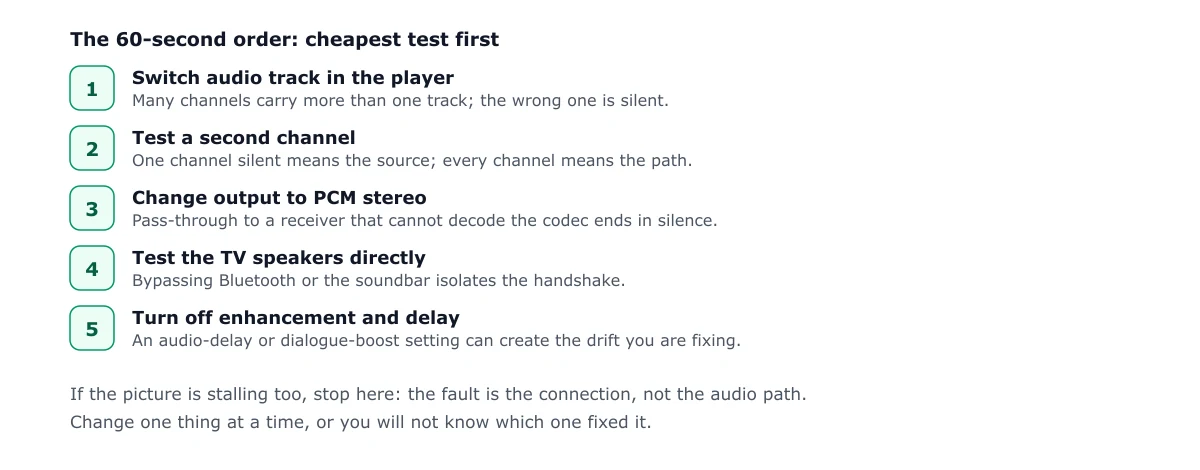
If the picture is also stalling, the cause is probably the connection rather than the audio path. The buffering guide covers that. For a channel that will not load at all, see the not working guide, and for setup on your device, see the smart TV guide.
Frequently asked questions
Why is there no sound on one IPTV channel but not others?
The channel may be using an audio track your device or player cannot decode, or the selected track may be silent. Switch to another audio track in the player, then test a different channel. If only one channel fails, the problem is usually at the source.
Should I use PCM or pass-through?
Use PCM if the sound is missing or the audio fails on some channels. Use pass-through if you have a receiver that decodes surround sound and the picture is otherwise fine. PCM removes surround sound, so it is a fix for failure, not a preferred setting.
Why is my IPTV audio out of sync?
Audio drift often comes from Bluetooth latency, from the TV or soundbar adding processing delay, or from a stream with unusual timing. Test the same channel with the TV speakers, then turn off any audio delay or sound-enhancement setting.